
AI Builder
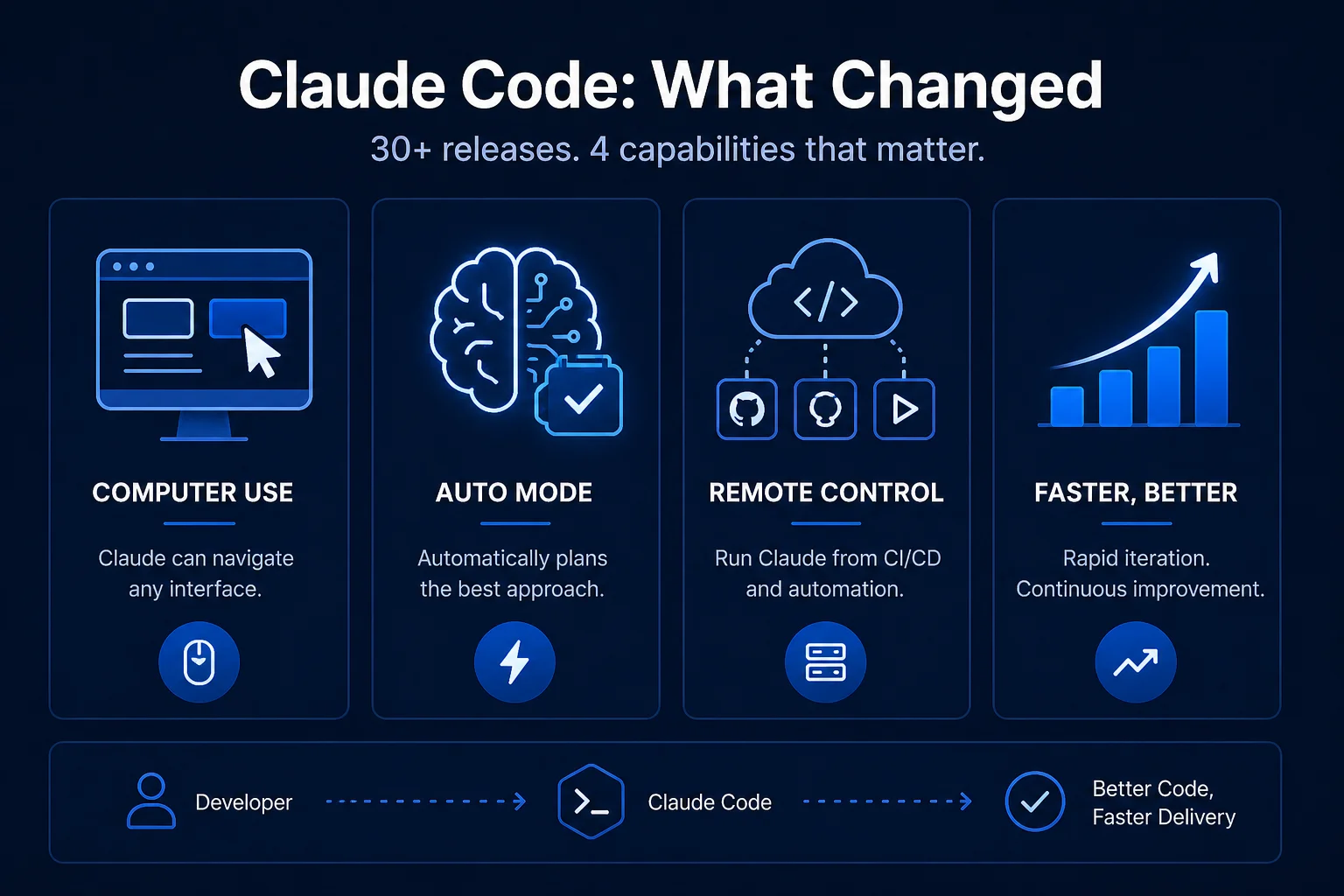
Between late February and late March 2026, Anthropic shipped over 30 Claude Code releases — version 2.1.69 through 2.1.101 in roughly five weeks. That is faster than most enterprise software products ship in a year. For engineering teams using Claude Code as an AI pair programmer, keeping up with what changed has become a challenge in itself.
This article cuts through the version numbers and explains the capabilities that matter most for Indian enterprise software teams: what they are, what they can do, and how they change the practical calculus of where to deploy AI assistance in your development workflow.
Claude Code's release pace is itself a signal. It tells you that Anthropic is treating the developer tooling layer as a strategic priority — iterating based on real developer feedback, shipping fast, and expecting the product to evolve significantly through use. For engineering leaders making tooling decisions, this pace means two things: the product will be significantly better in six months, and the capabilities you evaluate today may not be the ones you actually deploy against.
The practical response is to adopt incrementally: start with the capabilities that deliver clear value now, and revisit the evaluation as the product evolves. The five-week sprint described here delivered enough genuinely useful capabilities that "wait and see" is no longer the right posture for most teams.
The most conceptually significant update in this sprint: Claude Code can now use a computer — navigating graphical interfaces, clicking buttons, filling forms, and completing tasks across any application, not just through APIs or terminal commands.
For software development specifically, this means Claude can interact with web applications to verify that features work correctly in a browser, navigate configuration UIs that do not have command-line alternatives, operate legacy internal tools that have no API, and interact with third-party platforms during integration testing.
For broader enterprise automation, computer use opens the same category of workflows that Claude Cowork addressed — but now integrated directly into the development workflow. A developer can ask Claude to verify a feature end-to-end in the browser, check a staging environment for regressions, or interact with a vendor portal that has no programmatic access — all from within the development session.
Earlier versions of Claude Code benefited from developers explicitly instructing it to think through its approach before acting. Auto Mode makes this automatic: Claude now determines the best approach to a task — reasoning depth, tool selection, search strategy — without requiring the developer to prompt it to do so.
In practice, Auto Mode produces better results on complex tasks without requiring the developer to add meta-instructions to every prompt. A request to "refactor this authentication module to use JWT instead of sessions" now implicitly triggers the reasoning depth and file-search behaviour that previously required explicit prompting. This is a quality-of-life improvement that compounds across hundreds of daily interactions.
Remote Control allows Claude Code to be operated from a remote machine or CI/CD pipeline — meaning you can trigger Claude Code tasks from GitHub Actions, Jenkins, or any other automation orchestrator, not just from a developer's local terminal.
The enterprise applications are significant:
Remote Control transforms Claude Code from a developer's personal productivity tool into a shared engineering infrastructure component — one that works the same way in CI/CD as it does in a local terminal.
Building on Remote Control, Scheduled Tasks allow Claude Code to run specific analyses or operations on a defined schedule — daily, weekly, or triggered by specific events — without a developer initiating the session manually.
Practical applications include weekly dependency security scans, daily test coverage trend analysis, nightly documentation freshness checks (identifying code that has changed without corresponding documentation updates), and weekly summaries of open technical debt. These are tasks that every engineering team knows it should do regularly and almost none do consistently — because they require manual effort that competes with feature work. Scheduled Tasks removes the manual effort.
Claude Code can now generate interactive charts and diagrams — clickable, filterable visualisations produced directly from data, not just static images. For engineering teams, this means asking Claude to visualise test coverage trends, dependency graphs, performance profiles, or any dataset that benefits from interactive exploration.
This capability is particularly valuable for Indian engineering teams that produce regular reports for management or technical stakeholders: system architecture diagrams, sprint velocity charts, production incident timelines. What previously required a separate visualisation tool and manual data preparation can now be generated in a Claude Code session with a single prompt.
Claude Code can now generate touch-optimised interactive UIs — mobile-ready applications built from a natural language prompt. For enterprise teams building internal tools, this compresses the prototyping timeline significantly: a field inspection checklist app, a leave approval tool, a job site reporting form can be prototyped in hours and evaluated by actual users before committing to a full development cycle.
The /effort slider lets developers tune the depth of Claude's reasoning for a given task. The xhigh setting is recommended for complex architectural decisions, difficult debugging sessions, and tasks where getting it right matters more than getting it fast. Lower settings are appropriate for simple edits, boilerplate generation, and tasks where the overhead of deep reasoning is not justified.
For engineering teams, the practical value is cost and latency control: use xhigh for the hard problems where Claude's reasoning depth genuinely changes the output quality, and standard effort for the routine tasks that make up the bulk of daily work.
The combined effect of these updates is a shift in what Claude Code is: it is no longer primarily an AI pair programmer that assists individual developers. It is becoming an autonomous software delivery agent that participates in the entire development lifecycle — writing code, reviewing code, testing code, documenting code, monitoring the codebase on a schedule, and reporting findings to the team.
For Indian software teams, the most immediate value is in the CI/CD integration (Remote Control) and the scheduled analysis capabilities. These are infrastructure-level improvements that benefit the whole team, not just individuals who use Claude Code in their editors.
Infurotech's AI Builder service is powered by Claude Code — every capability described above is available in the applications we build for clients. Our technology services team helps engineering organisations integrate Claude Code into their development workflows and CI/CD pipelines. For teams interested in AI-assisted QA specifically, our QA automation service now incorporates Claude Code's Remote Control and Scheduled Tasks capabilities as standard components.
Thirty updates in five weeks. The product is evolving fast. Talk to our team about where it fits in your engineering organisation today — and what to plan for as it continues to mature.