
AI Builder
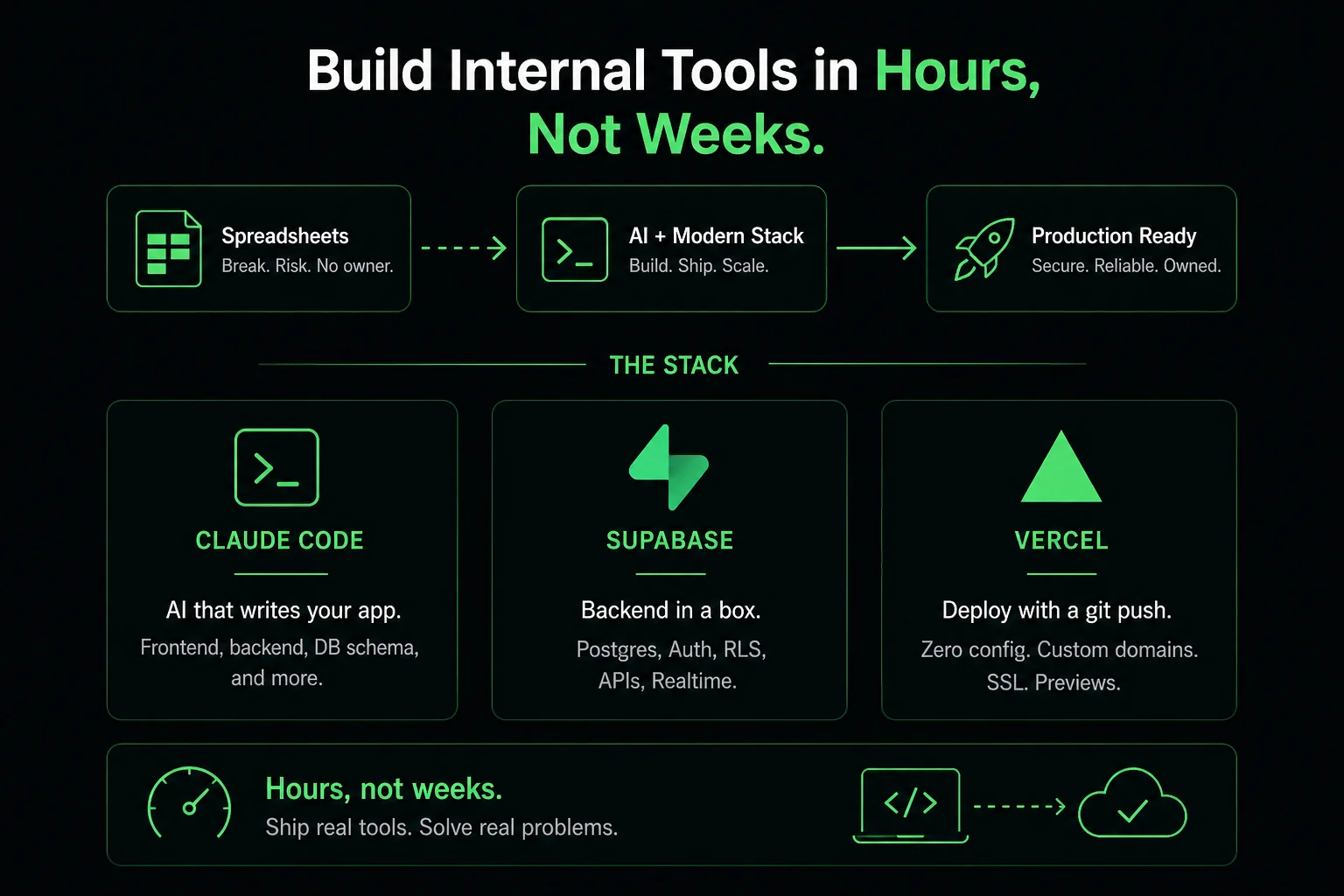
Most internal enterprise tools share the same story. A team needs a workflow that their ERP does not cover. They ask IT. IT has a backlog. The team builds a workaround in spreadsheets. The spreadsheet grows, gets shared, breaks, and becomes critical infrastructure that no one owns and everyone depends on. Eventually someone gets budget for a proper tool — which takes six to eight weeks of development, two rounds of requirement revisions, and arrives months after the original need.
Claude Code combined with Supabase changes this story. The combination allows a small team — or a single developer — to build a production-ready internal app in hours, not weeks. This is not a demo. Indian enterprises are shipping real tools this way in 2026. Here is the complete walkthrough, using an invoice approval workflow as the example.
The combination that consistently works for internal enterprise tools:
git push. Custom domains, SSL, and preview deployments for every branch are included.What this stack replaces: a backend engineer for the API and database layer (Supabase), a DevOps engineer for the hosting setup (Vercel), and the majority of the front-end and integration coding (Claude Code). The team's effort focuses on requirements clarity and review, not implementation mechanics.
The application: vendors email invoices to an accounts payable mailbox. AP staff review them, route to the budget owner for approval, and once approved, create the ERP entry. Today this happens in email threads with no tracking, no escalation, and no audit trail. The application we are building replaces the email thread with a structured workflow: upload invoice → data extraction → route to approver → approve or reject with comment → create ERP entry → log for audit.
Start with a clear prompt to Claude Code describing the application requirements in plain English:
"I need a Supabase schema for an invoice approval workflow. Invoices have: vendor name, invoice number, amount, date, currency, line items, PDF attachment URL, status (pending/approved/rejected), and audit log. There is a users table with roles: AP staff, approver, admin. Route invoices to an approver based on vendor category. Log every status change with timestamp, user, and comment."
Claude Code produces the full SQL schema — tables, foreign keys, indexes, and row-level security policies — in minutes. The output is ready to run in Supabase's SQL editor. Review it, adjust any business logic, and execute. The database is live.
With the schema in place, prompt Claude Code to generate the front-end:
"Generate a Next.js front-end for this invoice approval workflow using Tailwind CSS. The AP staff view shows a table of pending invoices with filter, search, and sort. Clicking an invoice shows the PDF in a side panel and the extracted data fields editable. The approver view shows invoices assigned to them with approve/reject buttons and a required comment field. Add a simple audit log tab. Use Supabase's generated client for all data operations."
Claude Code produces the full component tree, page routing, Supabase client integration, and state management. The resulting code is not boilerplate — it is functional application code wired to the specific schema you defined. First pass will have rough edges; iterate with follow-up prompts: "The invoice table needs sticky headers", "Add a status badge with colour coding", "The PDF viewer needs a zoom control."
Supabase Auth handles email/password, magic link, and SSO (Google Workspace, Microsoft Entra) without additional backend code. For Indian enterprises already on Google Workspace or Microsoft 365, enabling SSO takes five minutes of configuration in the Supabase dashboard.
Once auth is configured, Claude Code can wire it to your existing front-end: "Add Supabase Auth to this application with Google SSO. After login, check the user's role in the users table and redirect AP staff to /invoices and approvers to /approvals."
Row-level security in Supabase means the database itself enforces data access rules — an approver cannot query invoices assigned to other approvers, regardless of what the front-end does. This is security at the right layer: in the data, not only in the application code.
When an invoice is submitted for approval, the approver should receive a notification. When approved or rejected, the AP staff member should be notified. Claude Code generates Supabase Edge Functions — serverless functions that run on the Supabase infrastructure — to handle these notifications:
"Write a Supabase Edge Function that triggers when an invoice status changes to 'pending_approval'. It should send an email to the assigned approver using Resend, with the invoice details and a deep link to the approval view."
The same pattern works for Slack notifications using a webhook, WhatsApp Business API for field-facing notifications, or any other notification channel your organisation uses.
Connect the GitHub repository to Vercel. Add the Supabase environment variables (project URL and anon key) in the Vercel project settings. Every git push to main triggers a deployment. Preview deployments for every pull request mean QA can test changes before they reach production. Custom domain, SSL certificate, and global CDN are configured automatically.
Total deployment time after the first setup: under two minutes.
| Phase | Traditional team (6–8 weeks) | Claude Code + Supabase (1–2 days) |
|---|---|---|
| Requirements and design | 1–2 weeks (multiple stakeholder sessions) | 2–4 hours (single session, iterate live) |
| Database and API | 1–2 weeks (backend engineer) | 1–2 hours (Claude Code + Supabase auto-API) |
| Front-end development | 2–3 weeks (front-end engineer) | 3–6 hours (Claude Code generation + iteration) |
| Auth and notifications | 3–5 days | 1–2 hours (Supabase Auth + Edge Functions) |
| Deployment and QA | 3–5 days | 1–2 hours (Vercel + basic testing) |
| Total | 6–8 weeks | 1–2 days |
The speed advantage comes with honest trade-offs. AI-generated code benefits from review by an experienced engineer before production deployment — particularly for security-adjacent code (authentication flows, data access rules, input validation), performance at scale (the generated queries may not be optimised for high volume), and integration with complex existing systems.
The invoice workflow described here is well within the "ship it and iterate" zone. An integration with a core banking system or a medical records database is not — those require the security review, compliance documentation, and performance testing that cannot be shortcut even with AI assistance.
The right framework: use Claude Code + Supabase for the rapid prototyping and initial build, bring in Infurotech's engineering team for the production hardening, security review, and ERP integration that takes the application from "works in testing" to "runs reliably in production at scale."
Our AI Builder service uses exactly this stack — Claude Code, Supabase, Vercel — as the foundation for internal enterprise tools. What we add on top: production security review, performance testing, integration with existing enterprise systems (ERP, HRMS, custom APIs), change management support, and ongoing maintenance.
We have deployed invoice approval tools, leave management systems, vendor onboarding portals, and field data collection apps for Indian enterprises using this pattern. The typical timeline is one to two weeks from requirements sign-off to a production-ready application — not because AI makes us slow, but because the time after the first working prototype goes into the integration and hardening that production requires. If you want to integrate with Infurotech ERP, we handle that connection as part of the build.
Talk to our team if you have an internal tool need. We will tell you whether it is in the "build fast" category or the "build carefully" category — and in either case, how long it will actually take.